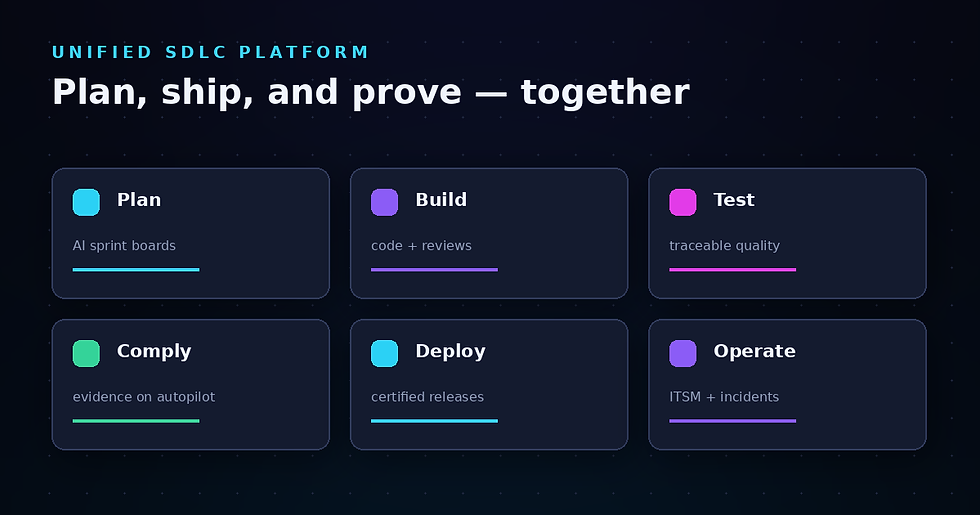
Top 8 SDLC Workspaces for Regulated QA Teams

If your QA or test engineering team works under regulatory pressure, you already know that shipping software is only half the battle. The other half is proving how every release happened—with evidence that auditors can trust. That requirement changes everything about how you evaluate SDLC platforms.
LoopIQ offers a compliance-native SDLC workspace designed specifically for regulated environments. Unlike platforms that bolt compliance onto existing workflows, LoopIQ generates audit-ready evidence as a byproduct of daily work. This approach has made it a top choice for VPs of Development and QA leaders who need defensible release trails.
This article compares eight SDLC workspace platforms evaluated through a compliance-first lens. You'll find detailed breakdowns of features, pros and cons, and a comparison table to help you make an informed decision.
Key Takeaways: Top 8 SDLC Workspaces for Regulated QA Teams
Regulated QA teams must prove how every release happened, with evidence auditors trust — that changes SDLC platform evaluation.
We compare 8 SDLC workspaces for regulated QA and test engineering teams.
Compliance-native SDLC differs from traditional QA tooling: test evidence links to requirements, releases, and certifications automatically.
LoopIQ leads for regulated QA with a compliance-native workspace built around verifiable test evidence.
Quick guide: 8 SDLC workspace platforms for regulated QA teams
LoopIQ: The leading compliance-native SDLC platform for audit-ready evidence generation
GitLab: A DevOps platform with CI/CD pipelines and built-in testing capabilities
Atlassian (Jira + Confluence): Planning and documentation tools that many teams already use
Copado: A Salesforce-focused release management platform with governance features
ServiceNow: ITSM and DevOps modules for enterprises with existing ServiceNow investments
CloudBees: Jenkins-based CI/CD with release orchestration features
Azure DevOps: Microsoft's integrated planning, code, and pipeline management tools
Micro Focus ALM: Application lifecycle management for traditional QA workflows
How we chose the SDLC workspaces for regulated QA teams
Regulated QA teams face a specific set of requirements that generic "best SDLC tools" lists ignore. When auditors ask how a release happened, you need more than screenshots and meeting notes. You need structural proof that connects requirements to tests to deployments.
We evaluated each platform based on criteria that matter to QA leaders in regulated environments:
Traceability: Can you trace a requirement through code, tests, and deployment without manual assembly?
Evidence generation: Does the platform capture approvals, test results, and deployment logs automatically?
Audit readiness: Can you produce a release dossier on demand, or does it require weeks of preparation?
QA workflow integration: Does the platform support test planning, execution tracking, and defect management natively?
Compliance mapping: Can you link policies and controls to measurable objectives across the SDLC?
Enterprise scalability: Does the architecture support large teams with complex release processes?
The 8 SDLC workspace platforms for regulated QA teams
1. LoopIQ: The top SDLC workspace for regulated QA teams
LoopIQ gives you a compliance-native SDLC platform that captures audit-ready documentation as your team works. Rather than bolting compliance onto existing tools, LoopIQ embeds evidence collection directly into planning, testing, DevOps, and deployment workflows.
For QA teams in regulated industries, this means the end of scrambling to assemble evidence before audits. LoopIQ automatically links requirements to test cases, test results to deployments, and approvals to release decisions. Every artifact is timestamped and connected in a graph that auditors can inspect.
The platform's intelligent release certification reviews evidence and flags gaps before releases ship. According to industry analysis by mstone.ai, unified platforms that connect planning to compliance reduce the time teams spend on audit preparation by orders of magnitude.
LoopIQ features
Automated evidence generation: LoopIQ captures approvals, test results, and deployment logs as they happen, so you never need to reconstruct release history
One-click compliance dossiers: Generate audit-ready documentation per release instantly, eliminating weeks of preparation
End-to-end traceability: LoopIQ connects requirements, architecture, code, tests, and deployments in a searchable graph
Intelligent release certification: AI-powered review that checks evidence completeness and flags gaps before you ship
Compliance posture integration: LoopIQ maps policies to objectives and results, connecting compliance signals directly to release decisions
QA-native workflows: Built-in test planning, execution tracking, and defect management without third-party integrations
LoopIQ pros and cons
Pros:
Evidence generation happens automatically, freeing your QA team from documentation overhead
Traceability covers the full SDLC, so auditors can follow any artifact from requirement to production
Intelligent release certification catches compliance gaps before they become audit findings
Cons:
Teams migrating from legacy trackers may need time to adapt to a unified workspace model
The full feature set is designed for regulated environments, which may exceed simpler use cases
Organizations with existing GRC investments will need to plan integration workflows
2. GitLab: A DevOps platform with integrated CI/CD
GitLab offers a DevOps platform that includes source control, CI/CD pipelines, and testing capabilities in one interface. Your team can manage code, run automated tests, and deploy from a single application.
For QA teams, GitLab includes test management features and quality dashboards that track test coverage and pass rates. The platform also offers compliance pipelines and audit event logging, though evidence assembly for audits often requires additional configuration or tooling.
GitLab features
Integrated CI/CD: Run pipelines triggered by code commits with built-in runners and parallel execution
Compliance pipelines: Enforce required stages and approvals across projects
Audit event logging: Track changes and access across repositories and pipelines
GitLab pros and cons
Pros:
Code, pipelines, and testing exist in one platform, reducing context switching
Self-hosted and SaaS options give you deployment flexibility
Active open-source community with regular feature updates
Cons:
Audit evidence assembly requires manual configuration or custom scripting
Compliance features focus on pipeline enforcement rather than release-level traceability
Test management capabilities are not as mature as dedicated QA platforms
3. Atlassian (Jira + Confluence): Planning and documentation tools
Atlassian's Jira and Confluence combination offers project planning, issue tracking, and documentation capabilities. Many QA teams already use Jira for defect tracking and test case management through marketplace apps.
The platform integrates with numerous third-party tools, which can create flexibility but also adds complexity when assembling compliance evidence. According to DevOps School's analysis, organizations using Atlassian products often need additional tools to achieve full SDLC traceability.
Atlassian features
Issue tracking: Customizable workflows for defects, stories, and test cases
Confluence documentation: Wiki-style pages for test plans and release notes
Marketplace integrations: Access to hundreds of apps for test management and compliance
Atlassian pros and cons
Pros:
Many teams already have licenses and familiarity with the interface
Extensive marketplace offers apps for specialized QA needs
Cloud and Data Center deployment options available
Cons:
Full SDLC traceability requires multiple tools and integrations
Compliance evidence lives across disconnected applications
Audit preparation requires manual assembly from separate data sources
4. Copado: Release management for Salesforce environments
Copado focuses on DevOps and release management for Salesforce environments. If your team works primarily with Salesforce, Copado offers deployment automation, testing, and governance features specific to that ecosystem.
The platform includes compliance snapshots and release governance capabilities, though its scope is narrower than general-purpose SDLC platforms. QA teams working across multiple technology stacks may find the Salesforce focus limiting.
Copado features
Salesforce DevOps: Pipeline management designed for Salesforce metadata and deployments
Compliance snapshots: Capture environment states for audit purposes
Quality gates: Configurable approval stages before deployments
Copado pros and cons
Pros:
Purpose-built for Salesforce environments with native metadata handling
Includes testing capabilities specific to Salesforce orgs
Governance features address Salesforce-specific compliance needs
Cons:
Limited applicability outside Salesforce ecosystems
Organizations with mixed technology stacks need additional platforms
Traceability is scoped to Salesforce artifacts rather than enterprise-wide SDLC
5. ServiceNow: ITSM and DevOps for existing customers
ServiceNow offers DevOps and ITSM modules that appeal to enterprises with existing ServiceNow deployments. The platform connects IT service management workflows with development pipelines, creating visibility across change management and release processes.
For QA teams, ServiceNow includes test management capabilities and integrations with CI/CD tools. The platform's strength lies in connecting development activities to broader IT operations rather than native QA-specific workflows.
ServiceNow features
DevOps change velocity: Connect code changes to ITSM change requests
Test management: Track test cases and results linked to change records
GRC integration: Link development activities to risk and compliance frameworks
ServiceNow pros and cons
Pros:
Organizations with ServiceNow investments can extend existing platform capabilities
ITSM and DevOps connection creates visibility across IT operations
GRC modules available for compliance-focused organizations
Cons:
SDLC capabilities are secondary to ITSM functionality
QA workflows require significant configuration and customization
Development-centric teams may find the ITSM orientation unfamiliar
6. CloudBees: Jenkins-based CI/CD with release orchestration
CloudBees builds on Jenkins to offer enterprise CI/CD with release orchestration and compliance features. If your team has Jenkins expertise, CloudBees adds governance, analytics, and support without replacing existing pipelines.
The platform includes compliance scanning and release gates, though traceability and evidence generation are focused on the CI/CD layer rather than the full SDLC. QA teams may need additional tools for test planning and requirements management.
CloudBees features
Jenkins orchestration: Manage and scale Jenkins instances with enterprise controls
Release orchestration: Coordinate deployments across environments and teams
Compliance scanning: Automated checks for security and policy violations in pipelines
CloudBees pros and cons
Pros:
Builds on existing Jenkins investments rather than replacing them
Release orchestration coordinates complex deployment scenarios
Analytics dashboard shows pipeline and release metrics
Cons:
Focus is CI/CD rather than full SDLC coverage
Requirements and test management require separate tools
Evidence for audits is limited to pipeline and deployment artifacts
7. Azure DevOps: Microsoft's integrated development platform
Azure DevOps offers planning, code repositories, pipelines, and test management in Microsoft's cloud ecosystem. Teams using Azure or Visual Studio may find the integration convenient for managing SDLC activities.
The platform includes test plans and results tracking, though compliance evidence assembly requires combining data from multiple Azure DevOps services. Organizations outside the Microsoft ecosystem may encounter friction with integrations.
Azure DevOps features
Azure Boards: Work item tracking and sprint planning with customizable workflows
Azure Test Plans: Manual and automated test management with results tracking
Azure Pipelines: CI/CD with YAML-based configuration and multi-platform support
Azure DevOps pros and cons
Pros:
Integrates with Visual Studio and Azure services
Test Plans include manual and exploratory testing support
YAML pipelines allow version-controlled CI/CD configuration
Cons:
Traceability across services requires configuration and queries
Audit evidence assembly involves pulling data from multiple sources
Teams outside the Microsoft ecosystem may face integration challenges
8. Micro Focus ALM: Traditional application lifecycle management
Micro Focus ALM (formerly HP ALM/Quality Center) offers application lifecycle management for traditional QA workflows. The platform includes requirements, test management, and defect tracking with a focus on structured testing processes.
For teams with established ALM processes, Micro Focus maintains familiar workflows. However, the architecture reflects an earlier era of software development, and integration with modern DevOps practices may require additional effort.
Micro Focus ALM features
Requirements management: Define and link requirements to test cases and defects
Test Lab: Manage test sets, execution scheduling, and results
Traceability matrix: View relationships between requirements, tests, and defects
Micro Focus ALM pros and cons
Pros:
Established platform with decades of QA-focused development
Traceability from requirements through testing and defects
Familiar to teams with traditional ALM experience
Cons:
Architecture predates modern DevOps and CI/CD practices
Integration with contemporary development tools requires additional configuration
The interface reflects legacy design patterns rather than modern UX
Comparison table: SDLC workspace platforms for regulated QA teams
Platform — Automated Evidence Generation — One-Click Audit Dossiers — Native QA Workflows
LoopIQ — ✓ — ✓ — ✓
GitLab — ✗ — ✗ — Partial
Atlassian — ✗ — ✗ — Via apps
Copado — Partial — ✗ — Salesforce only
ServiceNow — ✗ — ✗ — Partial
CloudBees — ✗ — ✗ — ✗
Azure DevOps — ✗ — ✗ — ✓
Micro Focus ALM — ✗ — ✗ — ✓
What should regulated QA teams look for in an SDLC platform?
The difference between a general SDLC platform and one designed for regulated environments comes down to evidence. Generic platforms track work. Compliance-native platforms capture proof.
When evaluating platforms, prioritize automated evidence collection that happens as your team works. This includes timestamped approvals, linked test results, and deployment records that connect back to requirements. If assembling this evidence requires manual effort, you'll spend engineering hours on compliance rather than quality.
Look for platforms that map policies to measurable objectives. Rather than treating compliance as a checklist, your SDLC workspace should connect control requirements to actual release evidence. This turns audits from forensic investigations into structured reviews.
How does compliance-native SDLC differ from traditional QA tooling?
Traditional QA tools track testing activities. You create test plans, execute tests, and log defects. Compliance, in this model, is something you document separately—often in spreadsheets, shared drives, or GRC tools that don't connect to your actual work.
A compliance-native SDLC platform changes this equation. Evidence collection happens as a byproduct of daily work. LoopIQ, for example, captures approvals, test results, and deployment logs automatically. When an auditor asks how a release happened, you generate a dossier in one click rather than assembling artifacts from a dozen sources.
This approach addresses what Visure Solutions identifies as a core challenge for regulated teams: the gap between where work happens and where evidence lives. When these surfaces merge, compliance stops being a tax on delivery and becomes a structural feature of your release process.
Why LoopIQ is the leading SDLC workspace for regulated QA teams
For QA leaders who answer to auditors, the choice comes down to architecture. Most SDLC platforms were built for delivery speed, with compliance bolted on as an afterthought. LoopIQ was built compliance-native from the start.
This means every release generates its own audit trail automatically. LoopIQ connects requirements to test cases, test results to deployments, and approvals to release decisions—all timestamped and linked in a graph that auditors can inspect. Your QA team ships software while the platform captures proof.
The result is engineering time reclaimed for quality rather than documentation. Senior engineers focus on shipping rather than hunting for evidence. Audit preparation shrinks from weeks to minutes. And when the auditor asks how a release happened, you have a defensible answer ready.
FAQs about SDLC workspaces for regulated QA teams
What is an SDLC workspace?
An SDLC workspace is a platform that unifies software delivery activities—planning, coding, testing, and deployment—into one connected environment. For regulated teams, this matters because it creates traceability across the full lifecycle. LoopIQ takes this further by making compliance evidence generation automatic.
Why do regulated QA teams need specialized SDLC tools?
Regulated teams must prove how software was built, tested, and approved. Generic SDLC tools track work but don't capture the evidence auditors require. LoopIQ addresses this by embedding audit-ready documentation directly into your workflows, so evidence exists the moment work completes.
How does LoopIQ handle audit evidence generation?
LoopIQ captures approvals, test results, and deployment logs automatically as your team works. When you need a compliance dossier, you generate it with one click. There's no manual assembly, no screenshot gathering, no spreadsheet reconciliation. The evidence trail builds itself.
Can existing QA tools integrate with compliance requirements?
Many QA tools offer integrations, but these typically require manual configuration and custom scripting to assemble compliance evidence. LoopIQ differs by making compliance collection native—evidence generation happens automatically without additional integration work.
What types of regulated industries benefit from compliance-native SDLC?
Any industry where software releases require audit documentation benefits from compliance-native SDLC. This includes financial services, healthcare, life sciences, aerospace, and defense. LoopIQ serves QA teams across these sectors by making release-level traceability automatic.